
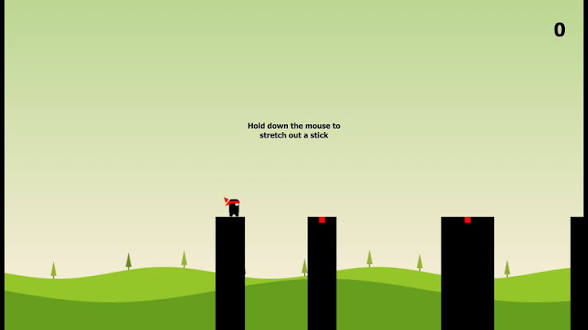
Introduction to Game Development
Creating a stick man hero game is a rite of passage for many aspiring web developers. Using the power of the HTML5 Canvas API and JavaScript, you can transform a simple webpage into an interactive world where your hero jumps, runs, and battles through obstacles.
The Basic Structure
Every HTML game starts with a canvas element. This acts as your "stage." Below is the minimal setup required to get your stick man on the screen.
<script>
const canvas = document.getElementById('gameCanvas');
const ctx = canvas.getContext('2d');
// Your game logic goes here
</script>
Drawing the Stick Man
The beauty of a stick man hero lies in its simplicity. You don't need complex assets or high-end 3D models. Using simple lines and circles, you can define your hero's skeleton:
- Head: A simple circle using
ctx.arc(). - Body: A vertical line for the spine.
- Limbs: Lines that change angle based on movement states (running vs. jumping).
Key Logic Components
To make your game playable, you need to implement three core systems:
- Physics Engine: Gravity to pull the hero back to the ground.
- Collision Detection: Checking if the stick man hits platforms or enemies.
- Input Handling: Listening for keyboard events (Spacebar for jumping, Arrows for moving).
Adding Hero Mechanics
To give your "Hero" its title, add special abilities. This could be a double jump, a dash mechanic, or a simple sword swing animation. By manipulating the x and y coordinates of your drawing functions within the requestAnimationFrame loop, you create the illusion of fluid movement.
Ready to start coding? Grab your editor and build your stick man legacy today!
